A useful starting point
The quick answer
- Paste a public website address into Zipasite and choose a page limit.
- Click “Zip this site” and keep the tab open until the archive is ready.
- Extract the whole ZIP, open index.html in the website folder and check your key pages.
One page or a whole website?
For a single page, press Ctrl+S on Windows or Cmd+S on Mac. In Chrome, choose “Webpage, Complete” when that option is offered. Keep the HTML file and its accompanying folder together. This saves the page you opened; a site crawler follows links to additional pages.
For several connected pages, start with the methods below. The useful measure is whether your intended reading journey works: the homepage, an important article, its next page and any supporting document.
Method 1: download a website in your browser
Open the Zipasite tool. In “Website address”, enter the public address. Zipasite begins with the homepage and the entered address, then discovers same-domain pages through links and sitemaps. A section URL still starts a domain-wide search.
Set “Page limit” to a small first sample, such as 5 or 20. The default is 500 and the maximum is 1,500. “Include linked documents” starts selected and adds supported linked files, including PDFs. Keep it selected when brochures or manuals matter.
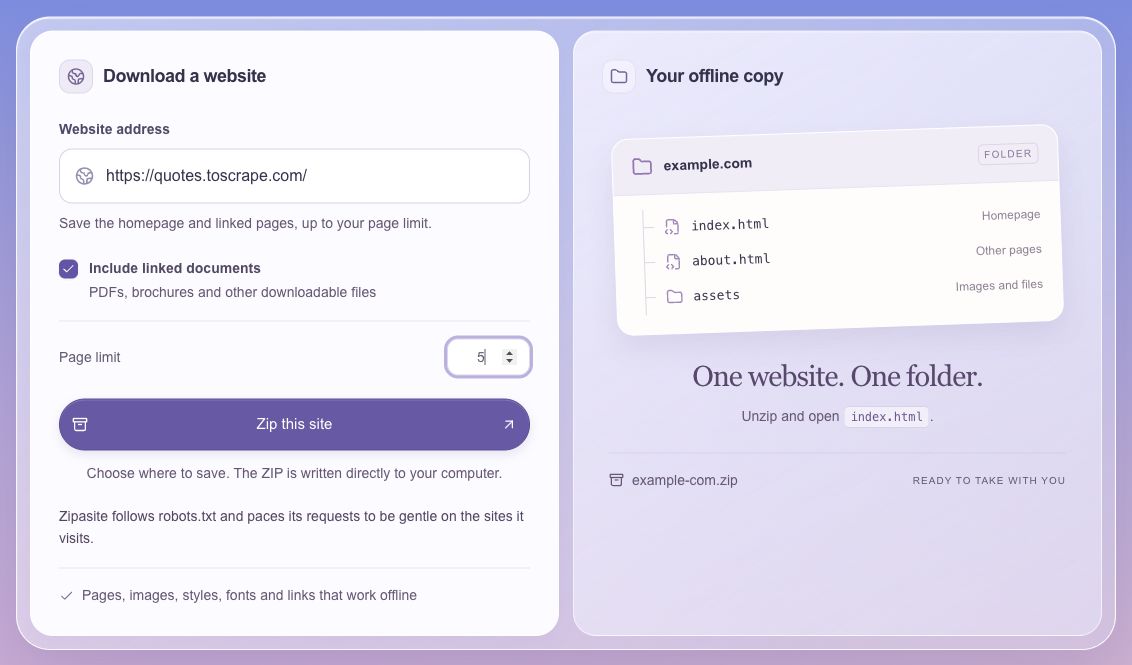
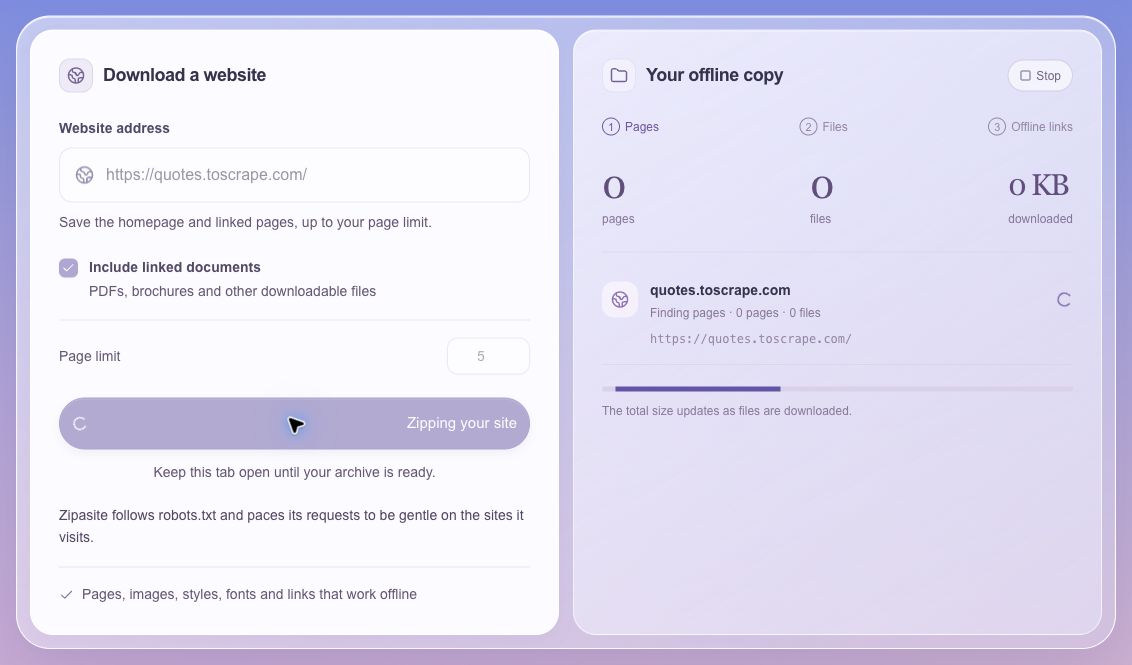
Start the archive and follow its progress
Click “Zip this site”. A supported browser asks for a save location and writes the archive directly there. In other browsers, “Download ZIP” appears when the archive is ready. Keep the tab open while Zipasite finds pages, downloads files and updates local links.
The counters show pages, files and transferred size. The moving bar indicates activity. “Stop” ends the current attempt; starting again creates a fresh archive.
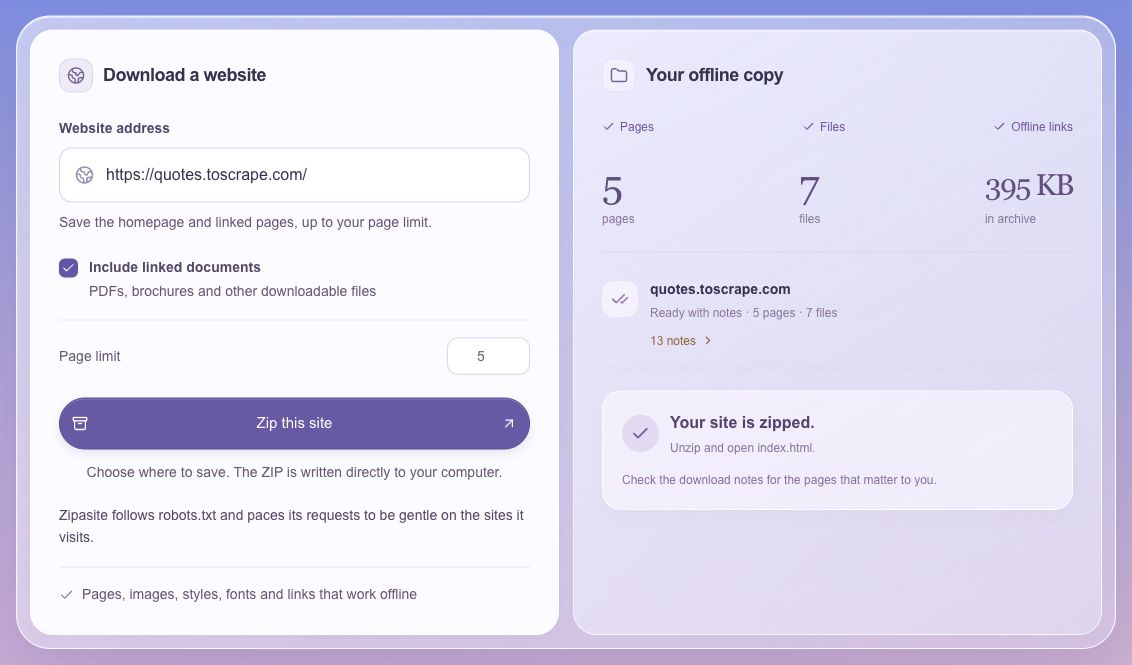
Extract the ZIP and open the site
When “Your site is zipped” appears, review the notes and extract the complete archive. Open the domain folder, then double-click index.html. The other HTML pages sit alongside it; supporting files live in assets/. README.txt sits at the ZIP root, and manifest.json sits inside the domain folder.
In our five-page quotes.toscrape.com sample, Zipasite saved seven supporting files and produced 13 notes. One note recorded the page limit; the other twelve recorded font requests that returned HTTP 404. The ZIP passed an integrity check and extracted successfully. Those figures describe this sample, rather than every site.
Method 2: use a desktop program
HTTrack offers saved projects, filters, updates and continuation of interrupted downloads. Those controls suit an archive you revisit. On Mac with Homebrew installed, use brew install httrack. Our HTTrack alternative comparison helps you choose between a saved project and a fresh browser ZIP.
Cyotek WebCopy is a Windows tool with crawl rules. SiteSucker is a Mac app distributed through the Mac App Store; its publisher also offers an iOS edition. Follow the publisher’s setup instructions and trial a small group of pages before a larger download.
Method 3: use wget
GNU Wget can retrieve linked pages and rewrite saved links from the command line. Run this example inside a new folder after replacing example.com with a site you own or have permission to copy. The example is adapted from the GNU manual; select the scope before running a recursive download.
wget --mirror --convert-links --adjust-extension \
  --page-requisites --no-parent --wait=1 \
  https://example.com/
The mirror option enables recursive retrieval and timestamps; page requisites add supporting files; link conversion prepares local browsing. The one-second wait paces requests. At the domain root, the parent restriction still covers the whole site. See the wget guide for scope, external assets and a smaller trial.
Choose a method for your task
| Method | Useful for | What you keep |
|---|---|---|
| Zipasite | A fresh browser-based archive | One ZIP and download notes |
| HTTrack | Saved projects, updates and crawl filters | A local mirror and project files |
| WebCopy or SiteSucker | A desktop workflow | Downloaded files and tool-specific logs |
| GNU Wget | Commands and repeatable scripts | A directory of retrieved files |
Check the copy you plan to use
Use the opening guide for extraction steps. Work through the checklist on your intended device; a successful ZIP download and a usable reading copy are separate checks.
- Open the homepage and the pages that matter to your task.
- Temporarily disconnect your device and reopen those pages.
- Follow saved internal links and open a linked document.
- Check images, layout and any expanded menus you need.
- Read README.txt and review the saved status and issues in manifest.json.
- Keep the original ZIP and add the download date to its filename.
Keep a reading copy and a recovery backup
Public HTML and supporting files provide the reading copy. Search, account actions and purchases use the original service, while some JavaScript content depends on live data. For a future site restore, keep your database, uploads, configuration and server files in a separate backup. See website archive vs backup.
Try the three-page Field Notes demo, or download its ZIP, to practise opening a saved site. Use content you own or have permission to copy.
Common questions
How long does a website download take?
Zipasite spaces request starts by at least one second per origin, with longer pauses where its robots policy requires them. Pages and supporting files each add requests. As an illustration, 200 pages plus 400 files from one origin involve at least about ten minutes of request spacing, plus discovery, transfer and processing time.
Can I choose just one section?
An entered section address joins the homepage as a starting point. Zipasite then discovers pages across the same domain. Use a crawler with path filters when your task needs a strict section boundary.
Will this save an entire website?
Coverage follows reachable links and sitemaps, your page limit and the source’s access rules. Signed-in areas and actions remain on the live service. Check the saved page list against your own list of important URLs.
Sources and further reading
Official documentation consulted for this guide.